


Local Stockfish analysis
Stockfish runs in your browser with principal variations, depth control, and fast iteration - no install and no server queue on the free tier.
Product
Browser chess study software with local Stockfish analysis, 12+ position heatmaps, piece-level attack and defense overlays, opening practice, 1.9 million master games, and adjustable engine sparring - free in the browser with no download, built for players who want to understand positions deeply rather than only see engine scores.

Chessyi is professional chess study software that runs entirely in your browser. It combines local Stockfish analysis, twelve or more position heatmap overlays, piece-level attack and defense visualization, opening practice, a library of 1.9 million master games, and adjustable engine sparring on one board - without installing a desktop engine or waiting in a server queue.
Where Chess.com and Lichess excel at online play, Chessyi is built for deep study: import PGN from any source, explore why a position works, rehearse openings against policy, and compare your lines to master practice. Stockfish loads in the browser for speed and privacy, so analysis stays on your device rather than a shared cloud queue.
Free accounts save games and sync across devices. Core analysis, opening drills, the master game library, and engine sparring are available without paid tiers, making Chessyi a practical analysis desk alongside the site where you keep your online rating.
Seventeen built-in tools cover visualization, notation, arrows, game import, library search, and training modes serious learners expect from dedicated chess software - packaged for learners, club players, coaches, and enthusiasts who study more than they blitz.
Chessyi keeps heatmaps, local Stockfish, opening practice, and a 1.9M game library on one board so you stop switching apps to answer the same question: what is really happening in this position, and how do strong players handle it?
Real screens from the analysis board, heatmap overlays, opening trainer, engine panel, and master game library at chessyi.com.
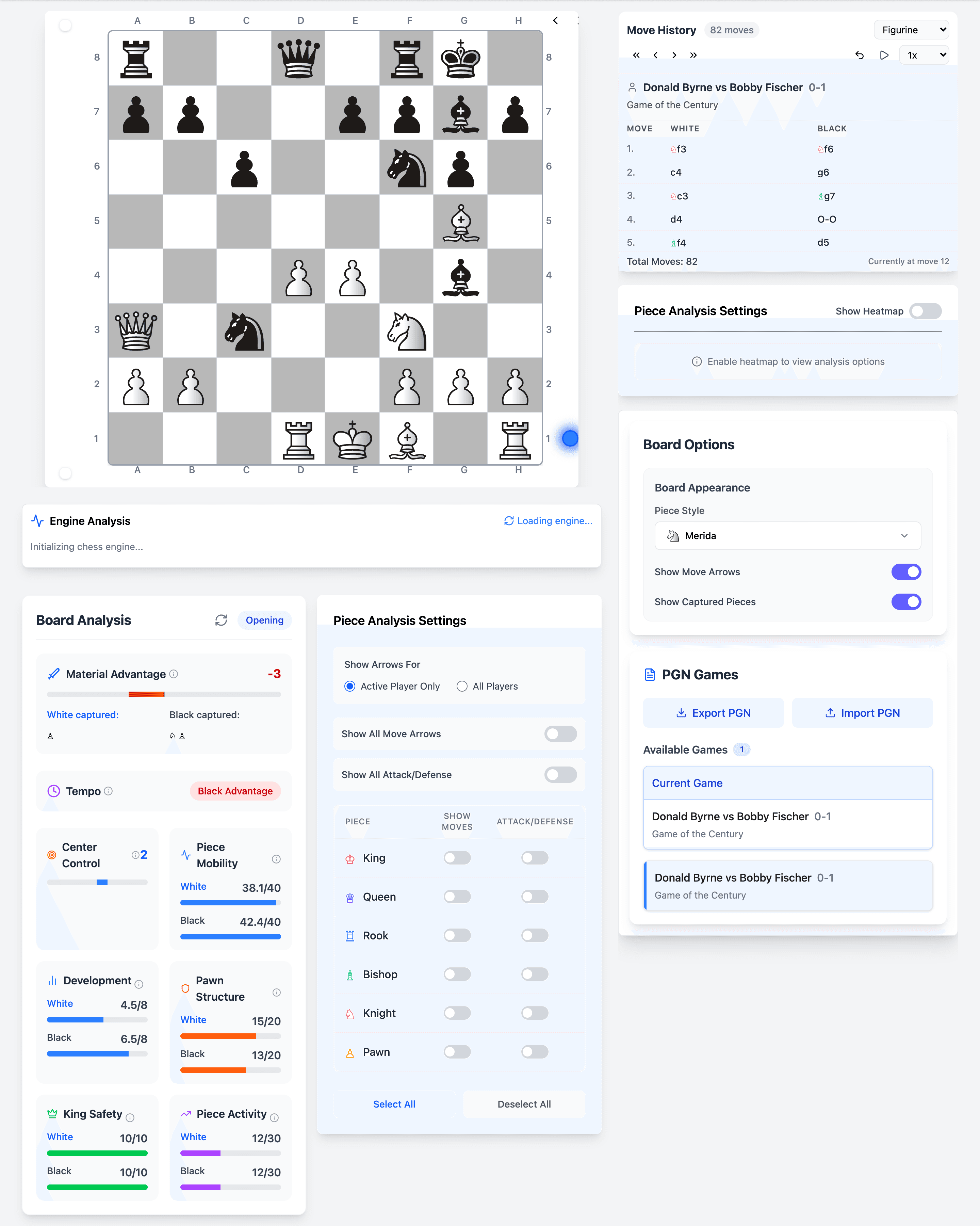
Stockfish, notation, and study tools on one responsive board - the home screen for daily review and game import.
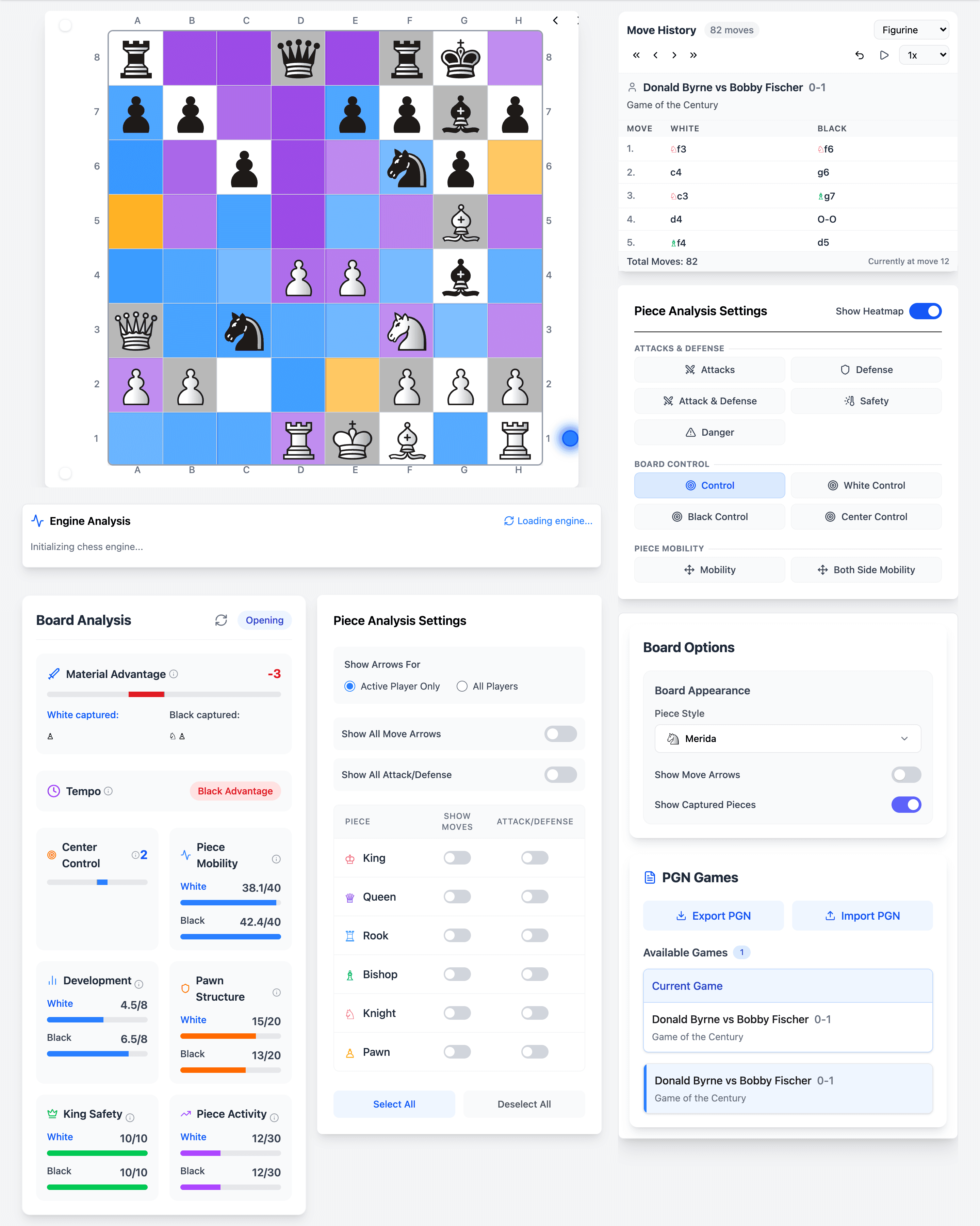
Twelve or more overlay layers reveal control, tension, and piece activity so you see why a position feels sharp before you memorize engine lines.
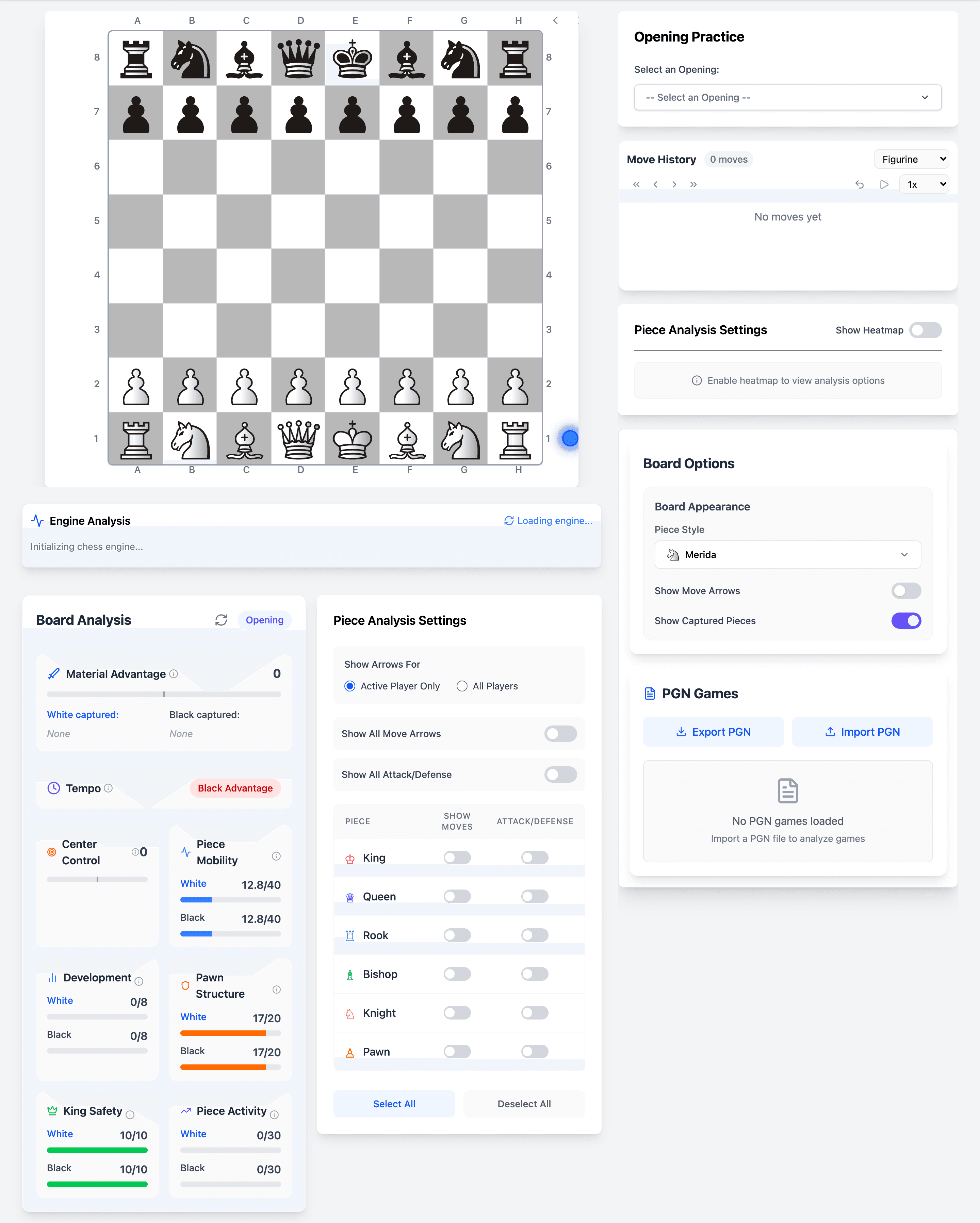
Drill repertoires against policy, track accuracy, and connect practice lines to the bundled opening guides and master references.
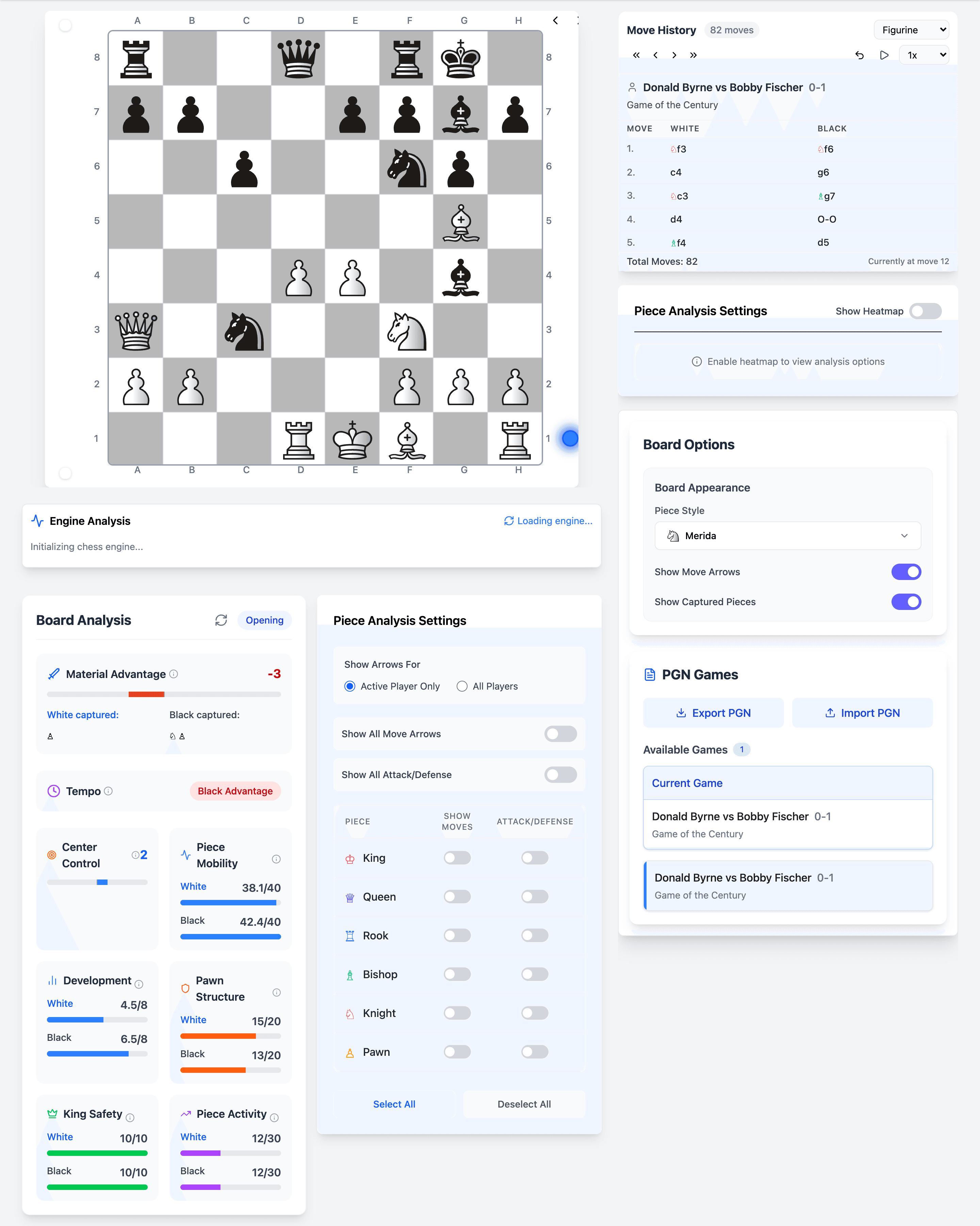
Depth, lines, and evaluation update on your device without queueing behind other users - built for uninterrupted analysis sessions.
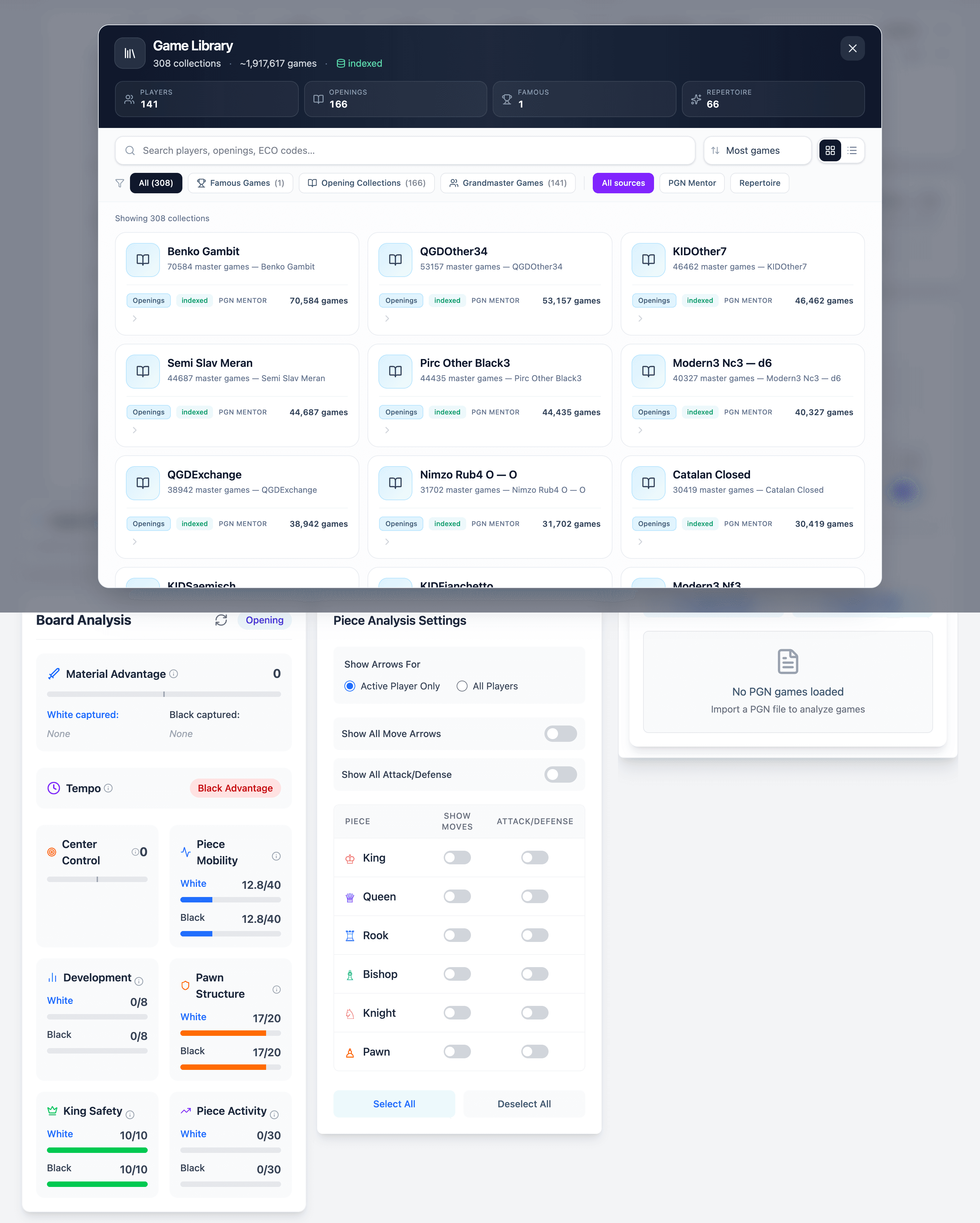
Search and replay from 1.9 million master games to compare your structures, plans, and move choices with titled practice.
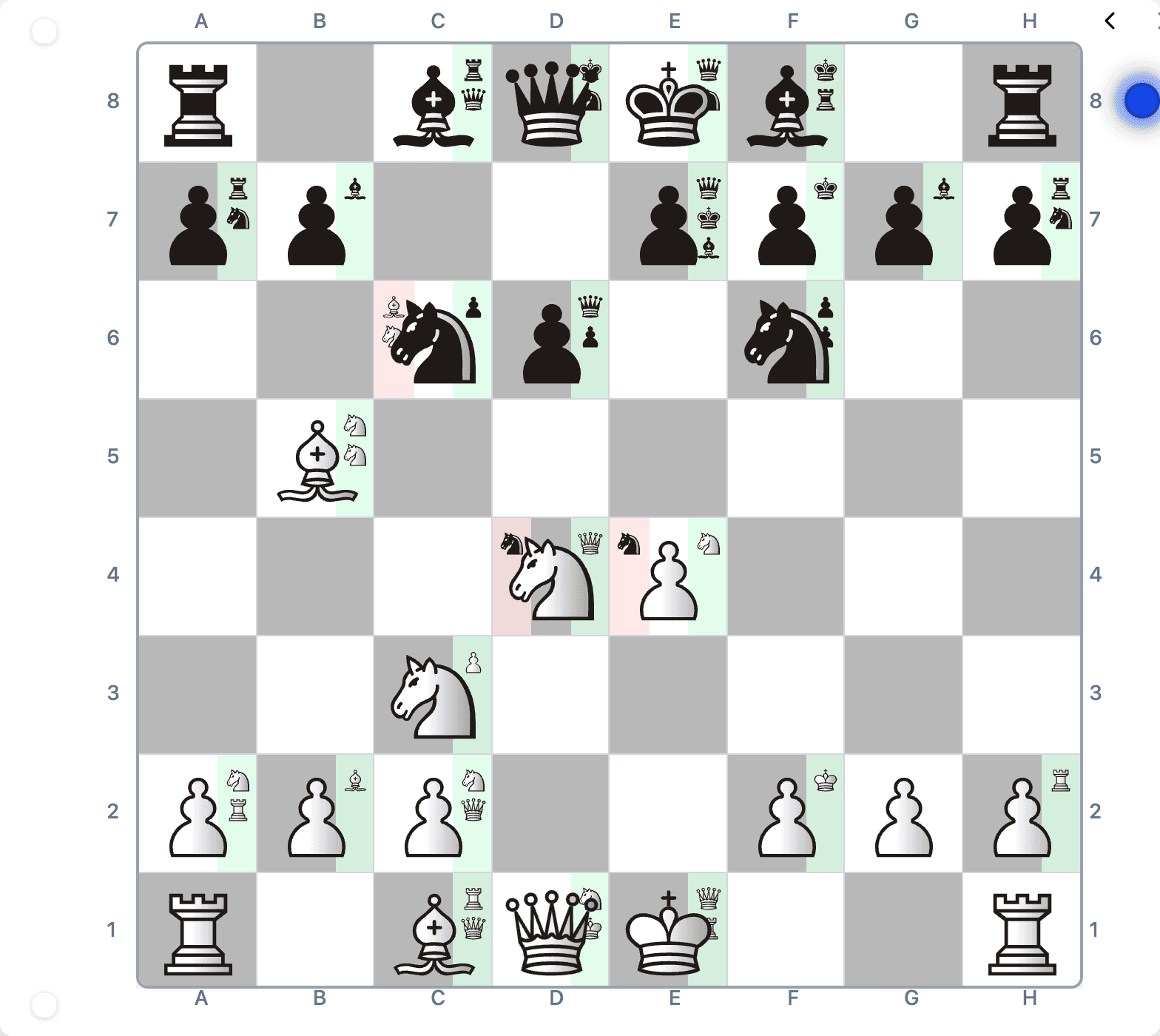
Piece-level attack and defense views complement heatmaps when you teach, annotate, or explain tactical motifs to students.
Browser-native study tools that prioritize visualization, local engine depth, and master references over matchmaking.
Stockfish runs in your browser with principal variations, depth control, and fast iteration - no install and no server queue on the free tier.
Unique visualization overlays show control, tension, king safety, and piece activity so you learn structure, not only centipawn scores.
Drill repertoires, track accuracy against policy, and connect practice to opening guides and master statistics from the bundled library.
Search, filter, and replay master games to compare your choices with titled practice without maintaining a separate database subscription.
Paste or upload standard PGN from Chess.com, Lichess, tournaments, or coaches - one desk for every game you need to review.
Play against adjustable Stockfish strength to test plans, punish blunders, and rehearse endings with an opponent that never tires.
Create a free account to save games, sync study lines, and return to the same analysis across laptops and tablets.
Arrows, notation modes, library search, visualization toggles, and training utilities ship together rather than as scattered premium add-ons.
Chessyi helps club players, coaches, and enthusiasts build intuition faster by making position understanding visible - then backing it with local engine depth and master references on the same board.
Online playing sites optimize for matchmaking, ratings, and social features. Serious improvement still depends on structured review: understanding pawn structures, comparing candidate moves to master games, and rehearsing openings until they survive clock pressure. Chessyi targets that study loop with visualization-first tooling rather than treating analysis as a secondary panel behind another rapid game.
Heatmaps and piece-level overlays are rare in free analysis tiers elsewhere. Chessyi bundles more than twelve visualization layers so learners see control, tension, and king safety before they memorize engine lines. That visual literacy transfers to over-the-board play faster than scrolling principal variations alone.
Local Stockfish matters for privacy and responsiveness. Analysis executes on your device instead of a shared cloud queue, which keeps review sessions uninterrupted during long training blocks. Coaches and students can work through sensitive preparation without uploading every position to a third-party server.
The 1.9 million game library anchors opening and middlegame study. Filter master practice, compare structures, and jump from your PGN import to historical references without maintaining a separate database subscription. Many players keep their online rating on Chess.com or Lichess while using Chessyi as the analysis desk for every imported game.
Straight answers for players, coaches, and parents evaluating chess study software.
Yes. Free accounts include core analysis, opening drills, the master game library, engine sparring, and cloud save. Create an account to sync games across devices; there is no download and no credit card required to start.
No. Stockfish loads automatically in your browser and runs locally on your device for speed and privacy.
Chess.com and Lichess focus on online play. Chessyi focuses on deep study: heatmaps, local Stockfish, opening practice, and 1.9M master games together on one board without switching apps.
Yes. Paste or upload standard PGN from Chess.com, Lichess, tournaments, or any PGN source.
Open chessyi.com in a modern browser, create a free account, and start with the analysis board or opening practice modules.
No install, no engine setup, and no separate database subscription - just import a game and explore.
Create a free account or explore the board anonymously, then load Stockfish and visualization tools in one click.
Paste PGN from your last online session, tournament, or lesson and jump straight to heatmaps and engine lines.
Drill your repertoire against policy, track accuracy, and compare lines to master statistics from the bundled library.
Test plans against adjustable engine strength, save key positions to your account, and return across devices without losing context.
Pair Chessyi with delivery and platform services when you scale beyond individual study.
High-performance browser applications with offline-tolerant patterns, auth, and analytics when you extend study tooling.
Web app developmentNative or cross-platform clients when your audience expects app-store distribution and push notifications.
Mobile developmentGoverned copilots and evaluation harnesses when you add coaching assistants or personalized training plans.
AI solutionsResilient hosting and observability for consumer SaaS products with global player traffic.
Cloud and DevOpsOpen chessyi.com, import a PGN from your recent play, and walk heatmaps, local Stockfish, and the master library on the same board. Neojn can also discuss institutional licensing, integrations, or co-branded study programs when you contact us.